Storyboard Template and How to Fill Each Column
A printable A4 storyboard template. One file holds a landscape page and a vertical short-form page.
Template layout
What goes in each column
- Shot number
- It’s the order you see them in, not the order you shoot. When you insert a shot later, label it like 3A so the numbers on the shot list don’t shift.
- Image column
- It’s enough if you can make out the character’s position and size, eyeline and camera height. Draw character and camera movement with arrows.
- Scene description column
- Write who is doing what and where in a sentence or two. Adding shot size, angle and camera movement makes the meaning clear even if the drawing is rough.
- Dialogue / sound column
- Write dialogue with the speaker’s name, and put sound effects and music on separate lines. Even a shot with no talk gets the sounds you’d hear.
- Duration column
- Read the dialogue aloud and time it in seconds. Add them up and compare with your target length, and it’s clear which shot to trim.
Filled-in example
Three shots of a scene where two people meet again in a café on a rainy day. The images are example storyboard frames drawn by AI with the 3D blocking as reference.
| Shot | Image | Scene description | Dialogue / sound | Duration |
|---|---|---|---|---|
| 3 | 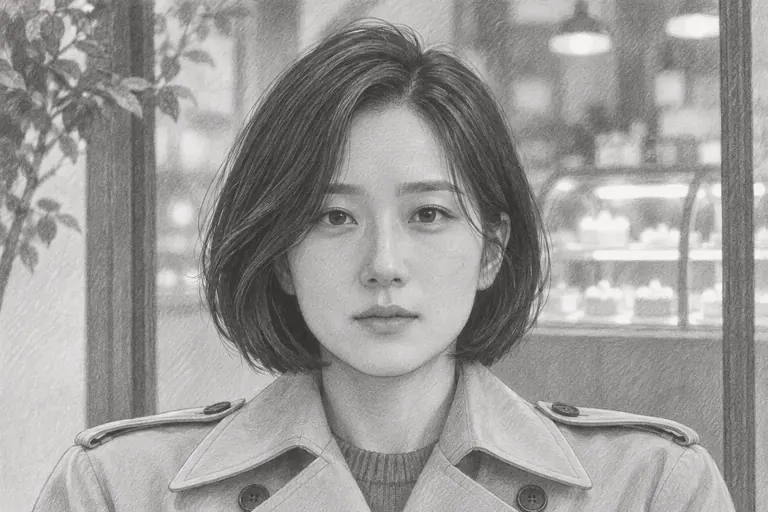 | Jisu stops at the café entrance. Close-up, eye level. Blurred display-case lights behind her. | Jisu: …Minho? | 2s |
| 4 | 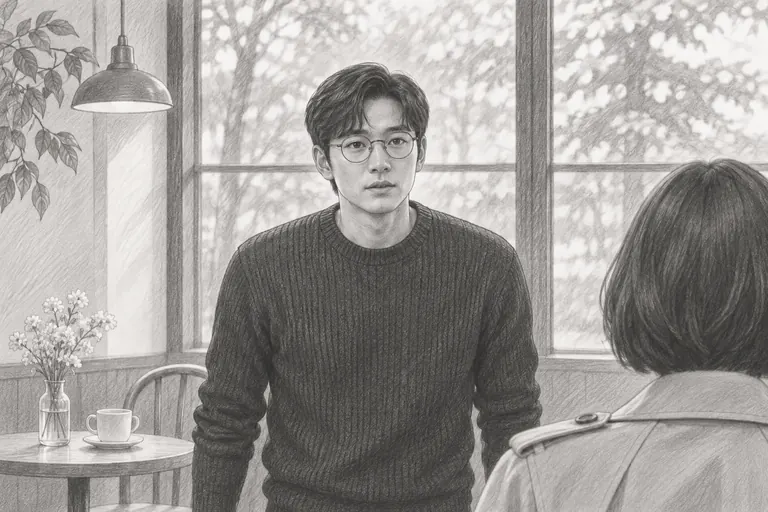 | Over Jisu’s shoulder, Minho stands up from the window seat. Medium shot. | Minho: Long time no see. Want to sit here? | 3s |
| 5 | 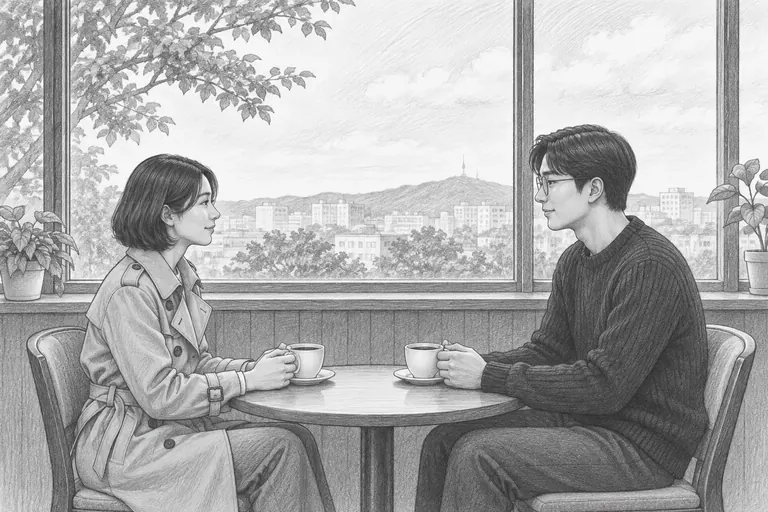 | Two people sitting across from each other at a window table. Front two-shot. | Laughter, the clink of a coffee cup being set down. Soft music. | 4s |
Which one to use
- For landscape video Use it for ads, YouTube and short films, where you need room for long descriptions and dialogue. Four shots fit on a page.
- For vertical short-form Six 9:16 frames sit side by side so you can read the whole flow at a glance. Handy for checking that captions don’t cover faces.
Common mistakes
- You end up polishing images and never fill all the shots. Fill them all with stick figures first, then redraw only the important shots.
- Every shot is the same size. For two consecutive shots, change the shot size or angle noticeably so the cut feels natural.
- No timing written down. If a 30-second ad has twenty shots, each lasts 1.5 seconds, and you need to know that before you shoot.
If you can’t draw by hand
In the Slatebloc workspace you can fill in a storyboard sheet with the same columns without signing in, and generate shot images from compositions you block in 3D. AI images use your account’s credits; printing and PDF export of a finished sheet are on paid plans.